iTouch-Control plugin for Audacious
iTouch-Control is a plugin for the Audacious media player that lets you control playback using your keyboard’s multimedia keys. The idea for the plugin came to me after XMMS was removed from Gentoo’s Portage tree.
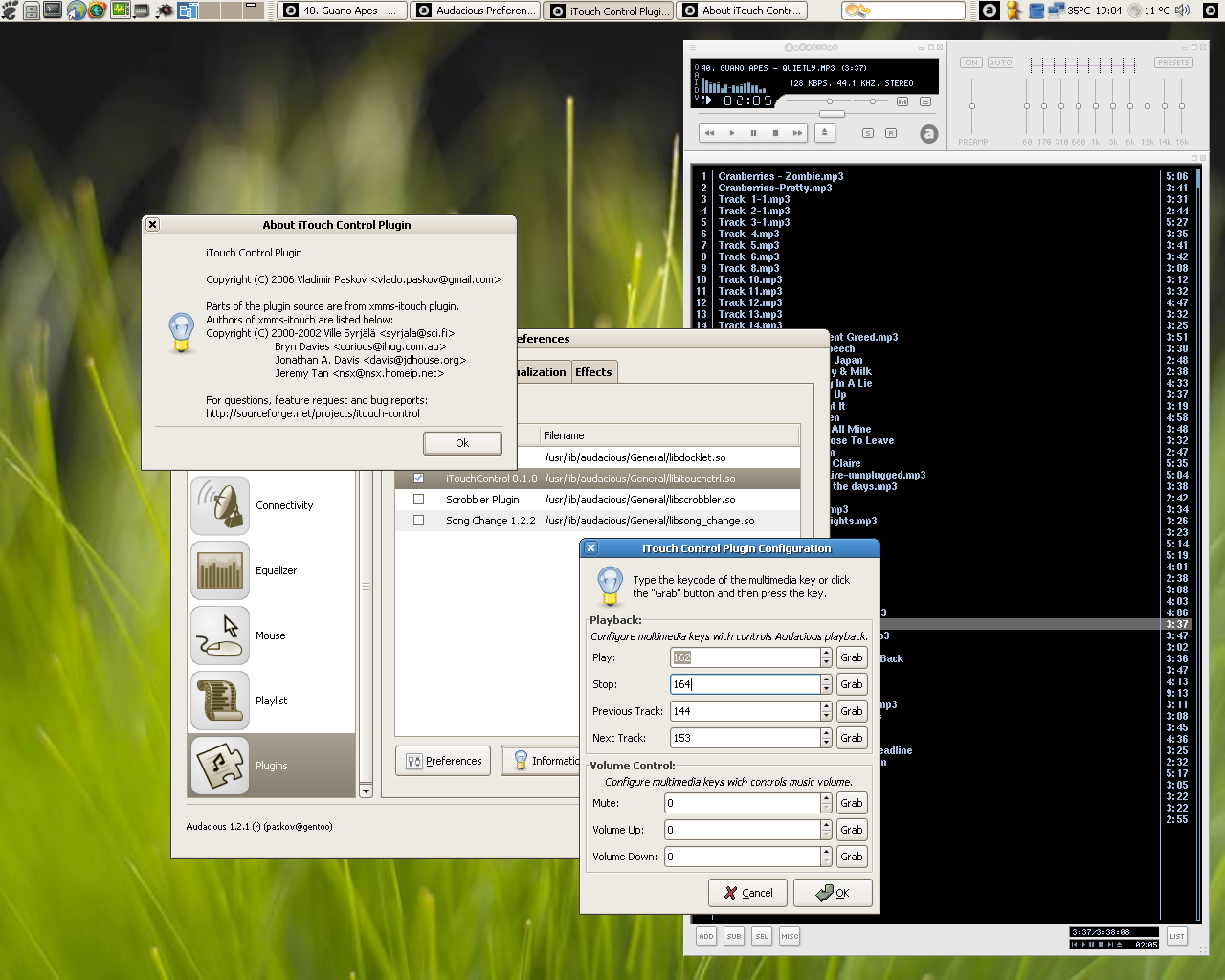
iTouch-Control 0.1.0 running with Audacious 1.2.1 on Gentoo.
After years of using XMMS, I finally said goodbye and started looking for an alternative. Audacious was the replacement recommended in /usr/portage/profiles/package.mask. It closely resembled XMMS, but it was still missing some of its features and plugins.
One plugin I missed was xmms-itouch, which let me control the player using my multimedia keyboard. I decided to write a similar plugin for Audacious.
There were aspects of xmms-itouch that I didn’t like, particularly its handling of all the keyboard’s multimedia keys. I wanted my plugin to focus on controlling the media player, leaving other keys to general-purpose tools such as hotkeys.
With iTouch-Control, you can play, stop, skip to the next or previous track, mute the sound, and adjust the volume using your keyboard. To assign an action, click its Grab button in the configuration dialog and press the key you want to use. You can also enter the keycode manually.
The plugin was designed to work with multimedia keyboards supported by X.
Thanks to the XMMS team for their great software, and to the xmms-itouch developers for their work.
Downloads and project information are available on the iTouch-Control SourceForge page.
Related Posts
2006-07-09
2005-07-05
2006-05-08