TortoiseGit disconnected: No supported authentication methods available (server sent: publickey)
After switching to SSH authentication for my Bitbucket repository, the TortoiseGit Windows client stopped working.
I could no longer pull, push, or perform other operations that connected to the remote repository. Android Studio, the other IDEs and tools I used daily, and the Git command line client still worked properly.

My TortoiseGit setup used Pageant, part of the PuTTY toolset, to manage SSH authentication keys. Since I’d already generated a public/private key pair with ssh-keygen, I needed to convert the private key to PuTTY’s format and load it into Pageant.
To do this, I used PuTTYgen, another tool in the PuTTY suite.
Load the private key in PuTTYgen. If it is protected by a passphrase, you’ll be prompted to enter it. Leave the default settings unchanged.
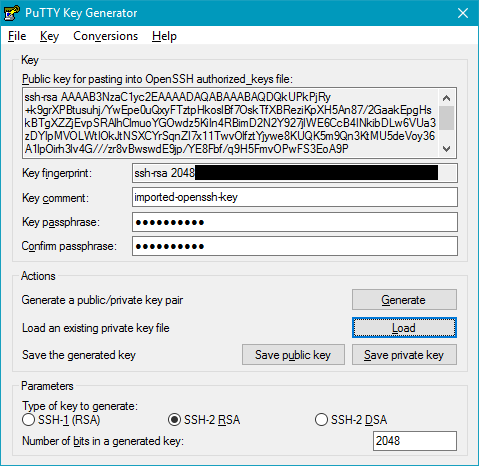
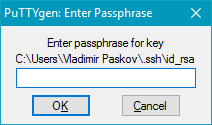
If the import succeeds, PuTTYgen displays a confirmation message:
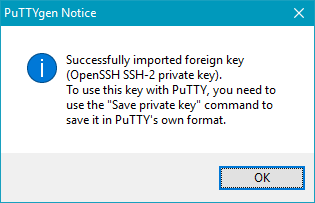
Next, click Save private key and save the key in PuTTY’s .ppk format. Start Pageant and load the converted private key:
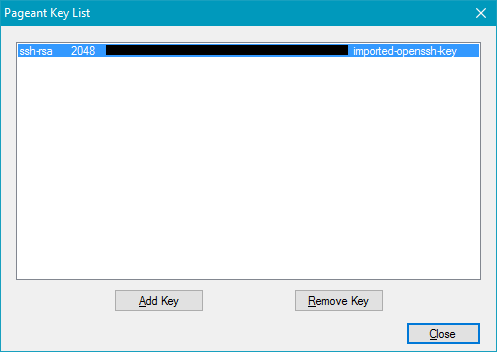
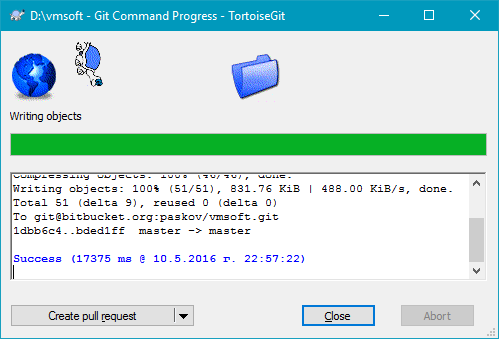
You should now be able to pull, push, and perform other operations that connect to the remote repository.
Note: Start Pageant and load your key before using TortoiseGit. Otherwise, you may see the same error again.
Related Posts
2012-08-30
2012-04-29
Comments 1
I should thank you for this. I got this resolved for me in very fwe simple steps