Connecting my PC XT clone to the network: Part 1 - Ethernet adapter
I’m working on connecting my 30-year-old PC XT clone to my home network.
It gives me one more reason to fire up my Pravetz 16. I could chat on IRC using that monochrome (green and black) monitor, run an FTP server for file transfers between the PC XT and other PCs on the network, or even host an HTTP server.
To connect the PC XT, I’m using Thin Ethernet (10BASE2), with coaxial cable and BNC connectors. Finding an 8-bit ISA Ethernet card was difficult, and I had little luck finding one with an RJ45 connector.
After a long search, I finally found an 8-bit ISA adapter: a PLUS & PLUS PCN-001 for $10.
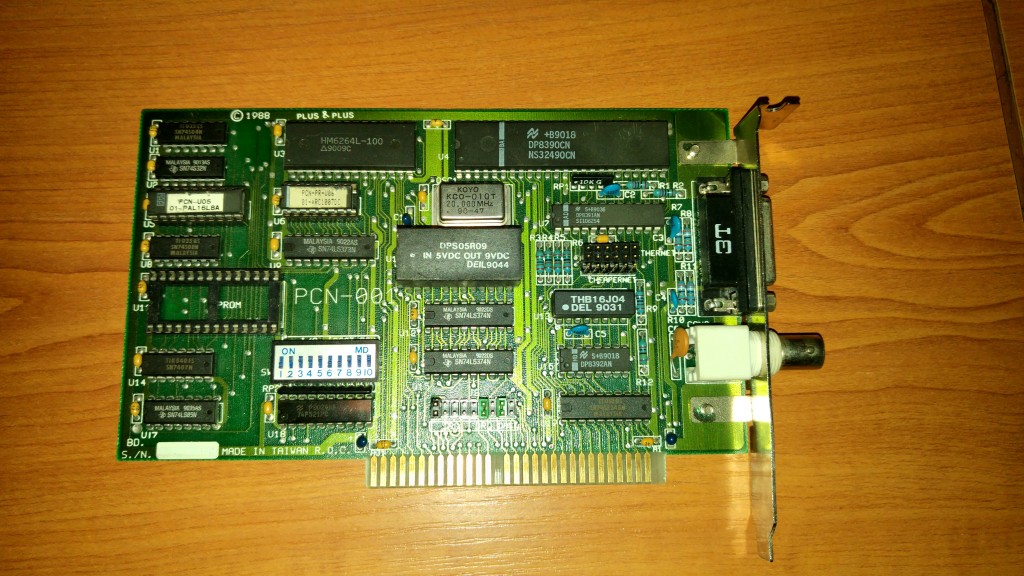
PLUS & PLUS PCN-001 Ethernet adapter
It’s a 10 Mbps Ethernet card with support for coaxial cabling and a DIX transceiver connected through a DB-15 port. It has a socket for a boot ROM, but mine doesn’t have a ROM chip installed.
The card is a clone of the American Research Corporation PCN-001. It’s compatible with the NE1000 and works with the NE1000 packet driver for DOS, included in the many-other-drivers.zip archive alongside many other packet drivers. Thanks to Crynwr Software!
After some searching, I found the adapter configuration reference. I’ve reproduced the jumper settings at the end of this post for future reference.
I initially set the IRQ to 2 and the I/O base address to 200h, disabled the boot ROM and DMA, and changed the cable type jumpers from DIX transceiver via DB-15 port to RG-58A/U 50 Ω coaxial. Then I booted the PC and loaded the NE1000 driver:
C:\>ne1000 0x7E 2 0x200Update (16 February 2016): I had trouble receiving network packets. Changing the IRQ to
5and the I/O base address to280hresolved the problem.
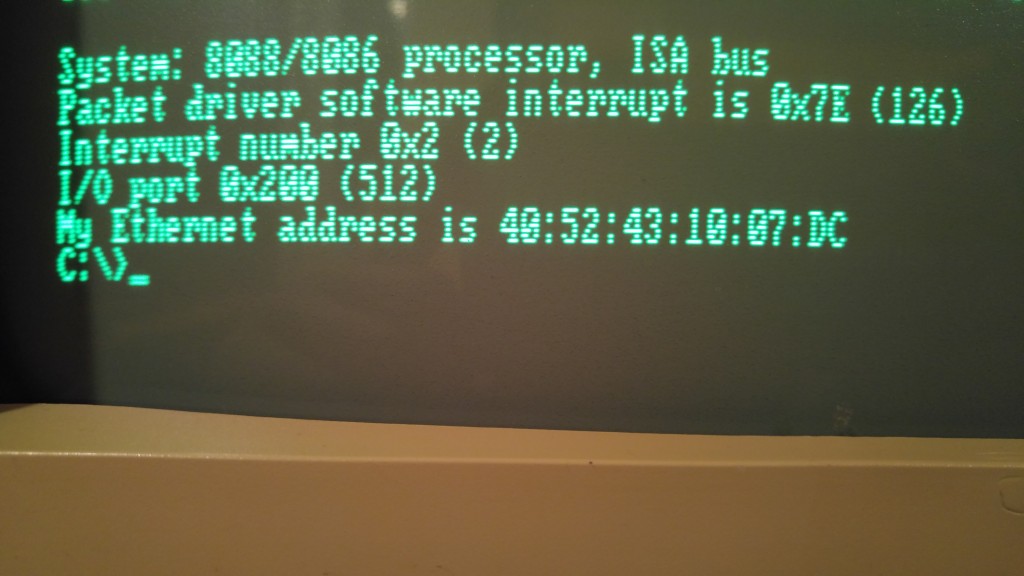
NE1000 packet driver loaded
Note: Packet driver installation instructions are in INSTALL.DOC, included in the many-other-drivers.zip archive.
The Ethernet adapter is now configured and working. In a later post, I’ll look at another vital network component: the Surecom Ether Perfect 517T hub, with its BNC connector.
Jumper settings
The following settings are from the American Research Corporation PCN-001 reference in Total Hardware 1999.
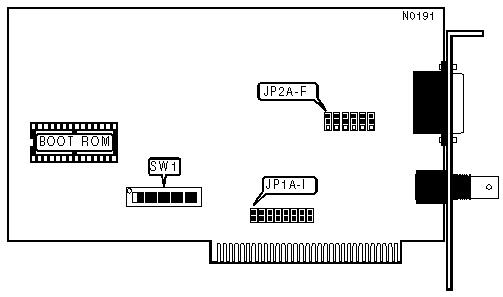
I/O base address
| Address | SW1/1 | SW1/2 | SW1/3 | SW1/4 | SW1/5 |
|---|---|---|---|---|---|
200h |
Off | On | On | On | On |
220h |
Off | On | On | On | Off |
240h |
Off | On | On | Off | On |
260h |
Off | On | On | Off | Off |
280h |
Off | On | Off | On | On |
2A0h |
Off | On | Off | On | Off |
2C0h |
Off | On | Off | Off | On |
2E0h |
Off | On | Off | Off | Off |
300h (default) |
Off | Off | On | On | On |
320h |
Off | Off | On | On | Off |
340h |
Off | Off | On | Off | On |
360h |
Off | Off | On | Off | Off |
380h |
Off | Off | Off | On | On |
3A0h |
Off | Off | Off | On | Off |
3C0h |
Off | Off | Off | Off | On |
3E0h |
Off | Off | Off | Off | Off |
Boot ROM
| Setting | SW1/6 |
|---|---|
| Disabled (default) | Off |
| Enabled | On |
Boot ROM address
| Address | SW1/7 | SW1/8 | SW1/9 | SW1/10 |
|---|---|---|---|---|
C0000h |
On | On | On | On |
C4000h |
On | On | On | Off |
C8000h |
On | On | Off | On |
CC000h |
On | On | Off | Off |
D0000h |
On | Off | On | On |
D4000h |
On | Off | On | Off |
D8000h |
On | Off | Off | On |
DC000h (default) |
On | Off | Off | Off |
E0000h |
Off | On | On | On |
E4000h |
Off | On | On | Off |
E8000h |
Off | On | Off | On |
EC000h |
Off | On | Off | Off |
F0000h |
Off | Off | On | On |
F4000h |
Off | Off | On | Off |
F8000h |
Off | Off | Off | On |
FC000h |
Off | Off | Off | Off |
Interrupt request
| IRQ | JP1A | JP1B | JP1C | JP1D |
|---|---|---|---|---|
| 2 | Closed | Open | Open | Open |
| 3 (default) | Open | Closed | Open | Open |
| 4 | Open | Open | Closed | Open |
| 5 | Open | Open | Open | Closed |
DMA channel
| Channel | JP1F | JP1G | JP1H | JP1I |
|---|---|---|---|---|
| DMA1 (default) | Closed | Open | Closed | Open |
| DMA3 | Open | Closed | Open | Closed |
Cable type
| Type | JP2A–JP2F |
|---|---|
| RG-58A/U 50 Ω coaxial (default) | Pins 1 & 2 closed |
| DIX transceiver via DB-15 port | Pins 2 & 3 closed |
Factory settings
| Jumper | Setting |
|---|---|
| JP1E | Open |
Related Posts
2014-11-01